

Changelog Nov 7, 2026 - Connect Claude and ChatGPT without a token, and a feedback board on scanr.ai
AI assistants sign in to the scanr.ai API and MCP server instead of taking a pasted token. Feedback and the roadmap move to scanr.ai, and the mobile app shows who's in each theme.
 Eoin3 min read
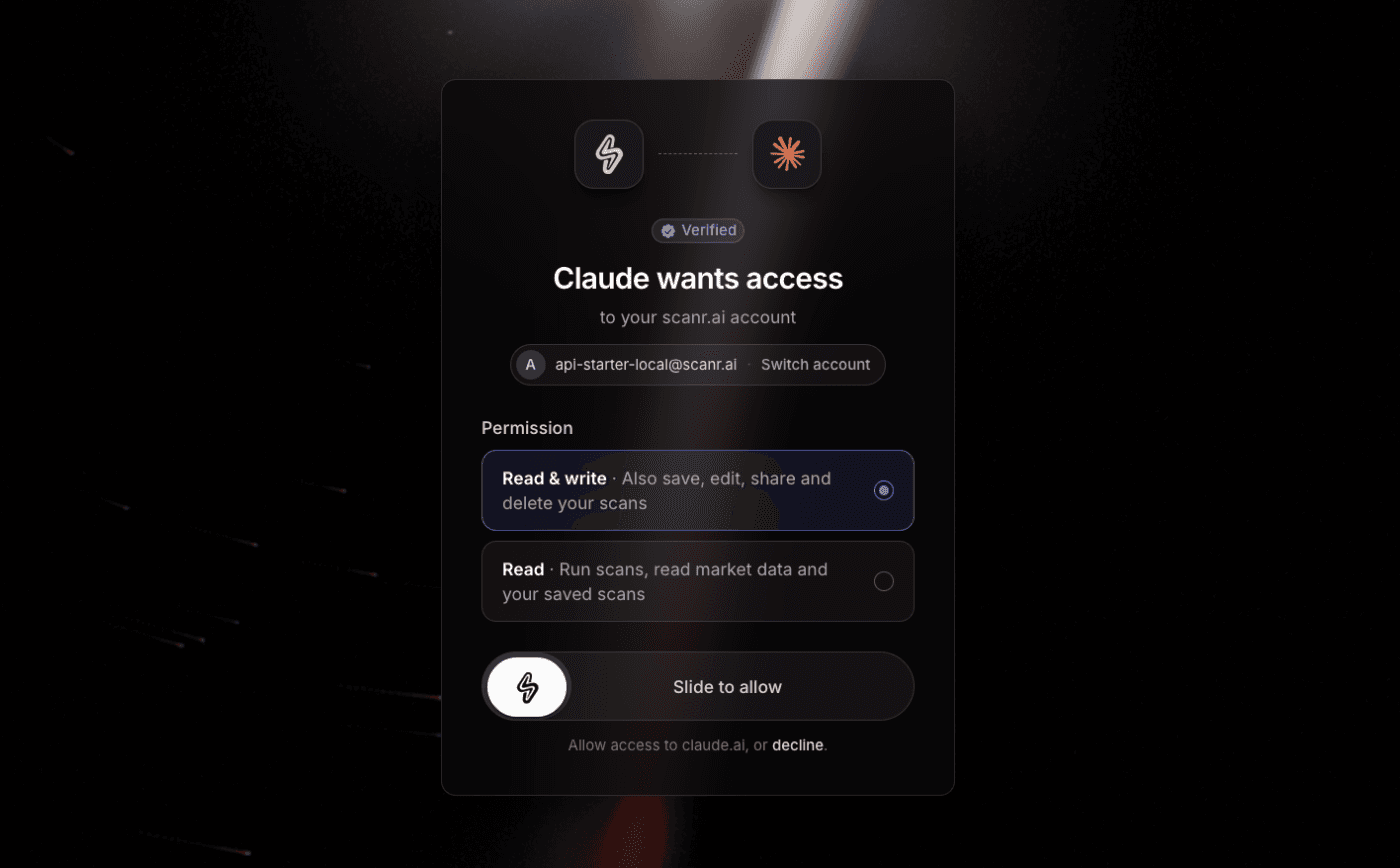
Claude, ChatGPT, Claude Code and Cursor can now connect to scanr.ai by signing in, so you don't have to copy an API token into their settings. Feedback and the public roadmap move from Featurebase to scanr.ai, and the mobile app shows who's in each theme.
Connect an AI assistant by signing in
Add https://mcp.scanr.ai as a custom connector in claude.ai or ChatGPT, or
add it to Claude Code or Cursor with no token. The assistant opens scanr.ai in
your browser. Check the app's name and the address it sends you back to, pick
Read or Read & write, and slide to allow. Read runs scans and reads
market data and your saved scans. Read & write can also save, edit, share
and delete your scans.
The assistant gets its own token, good for 30 days. It appears under Your
tokens with the assistant's name and (OAuth) after it, and revoking it
disconnects the assistant. When the token expires, the assistant asks you to
approve it again. Connecting needs an API add-on, as a pasted token does.
Tokens you create by hand carry a permission too. Pick Read or Read & write when you create one, or click the pencil beside it to change it. The token list shows each token's permission.
Over MCP, an assistant can now read a stock's weekly Weinstein stage history: stage, sub-stage, weeks in stage and Mansfield relative strength. The API docs have a new guide, Read Weinstein Stages, covering the endpoint and Stage scans.
Feedback and the roadmap move to scanr.ai
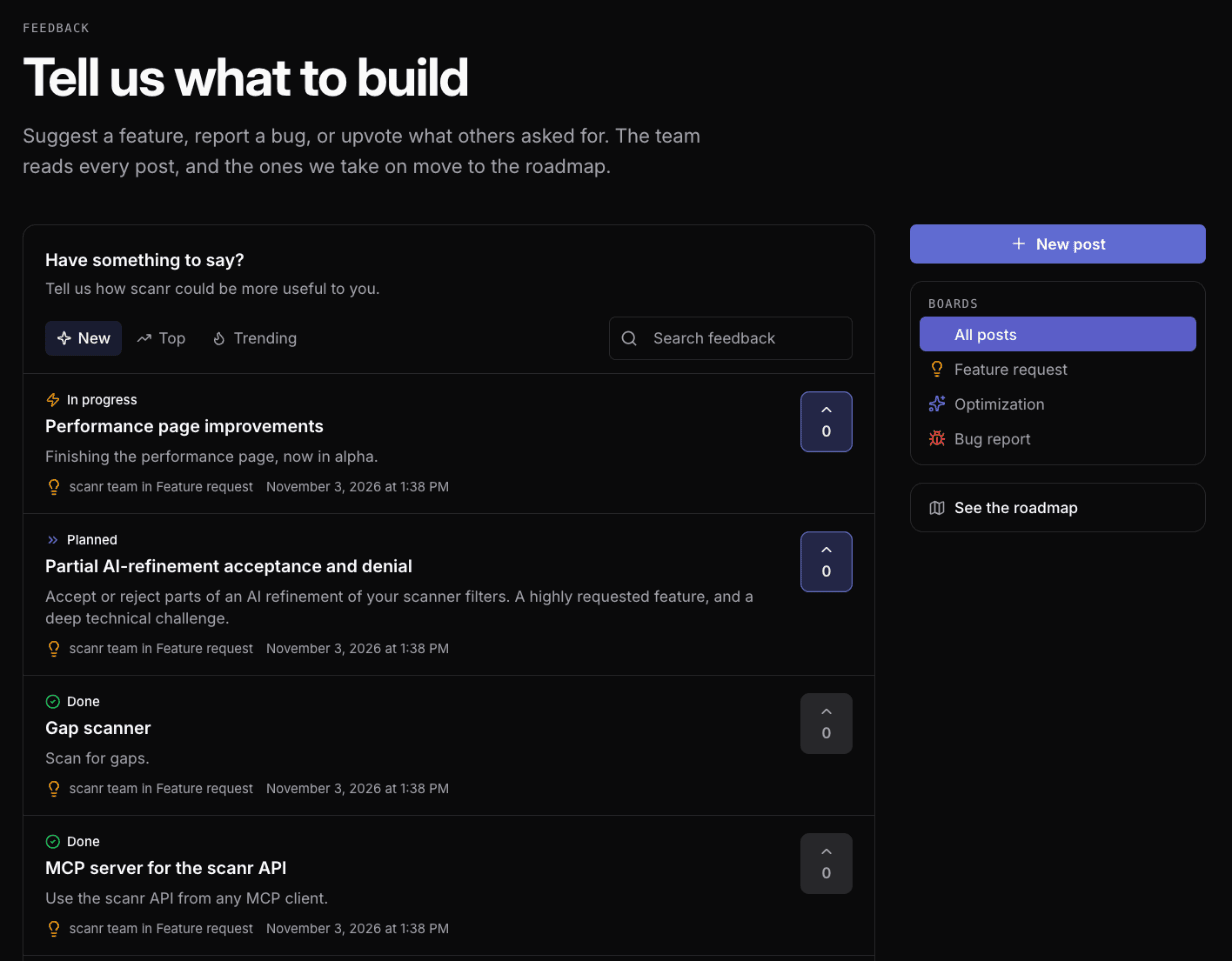
The feedback board lives at scanr.ai/feedback. Sign in to post an idea or a bug, vote on other posts and comment. Sort by New, Top or Trending, or search. Your posts show your first name and last initial. When you report a bug from an error page while signed in, it lands on the board too.
The roadmap at scanr.ai/roadmap shows what we're building next. Vote on a card, or click it for the details and a link to discuss it. We carried over the 26 posts from the old board, but their votes start again from zero. Both pages work in English and Spanish.
Themes
Open a theme on Theme Performance to chart it against SPY. The chart used to reach back two or three days, and now covers the theme's history under its current name. On Performance, both lines show cumulative return from the same day, so you can see whether the theme moves with the market.
In the mobile app, tap a theme to see its members, grouped as Core, Satellite and Loose, with each one's daily return. That works on a Theme Overview row, a theme name on Theme Heatmap, the legend under Theme History, Top theme on Market State, and a theme on a stock's page. Tap a member to open its page. Theme members are part of Super and Super Pro.
Also in this release
- Theme Overview on the web has a search box in its title row that filters themes by name and keeps your sort.
- The theme picker on a theme card has Deselect all, and picking a theme no longer clears your search.
- Generating a scan from the AI page in ⌘K now runs it. Before, the grid kept the previous scan's results under the new filters.
- The earnings tooltip on a chart shows the report date above the before or after market timing.
- Over the API,
POST /api/v2/scanand the MCPscantool share one rate limit. On Starter that means 30 scans a minute across both, where each used to allow 30. - The API reference documents
POST /api/v2/scan/saved-scan-resultsfor saved scan results. The old path still works. - We adjusted how AI credits are counted. A quick AI Terminal question that doesn't need your saved scans, alerts or watchlists now runs on a smaller model and uses fewer credits.
Tell us what you'd like next, or anything you run into, on the feedback board or at [email protected].
— Eoin & The Scanr.ai team